Blooket vs. Gimkit: Which Is Better for Your Classroom?
Your students have probably already heard of both. They might even argue about which one is better. And honestly? That debate is worth having — because Blooket and Gimkit are genuinely different tools, and knowing which one to reach for (and when) makes a real difference in how the activity lands.
I’ve used both in the classroom. Here’s my honest take.

What Is Blooket?
Blooket is a free game-based review platform where students answer quiz questions to earn in-game currency, then spend it on characters called “Blooks.” The gameplay is casual and low-stakes — students play at their own pace, and there’s enough variety across game modes that even kids who aren’t competitive still stay engaged.

A few of the most popular Blooket game modes:
- Gold Quest — Answer questions to collect gold, then steal from other players. Chaos in the best way.
- Tower Defense — Answer correctly to build towers and defend against waves of enemies.
- Café — Run a virtual café, restocking supplies and serving customers by answering questions.
- Factory — Upgrade a factory by answering quickly. Great for students who like incremental progress.
- Fishing Frenzy — Cast a line and catch fish by answering correctly. Low-pressure and weirdly soothing.
- Crypto Hack — Mine currency and hack other players’ accounts. Wildly popular with middle schoolers.

The variety is one of Blooket’s biggest strengths. You can assign the same question set across different game modes depending on the day or the group — and it feels like a completely different activity each time.
What Is Gimkit?
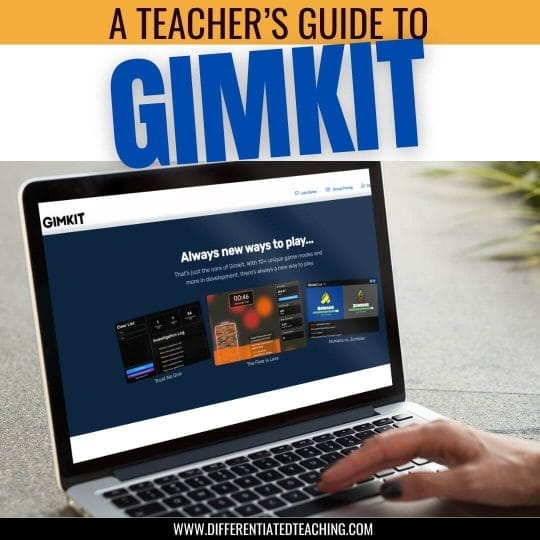
Gimkit is also a game-based review platform, but it runs with a heavier strategy layer. Students earn GimBucks by answering questions correctly, then invest that money in power-ups, upgrades, or advantages against other players. It feels more like a video game than a quiz — which is exactly the point.
What makes Gimkit different is that incorrectly answered questions come back around. The platform resurfaces items students got wrong more frequently, which gives it a built-in spaced repetition component that Blooket doesn’t have.

Popular Gimkit game modes include:
- Don’t Look Down — Climb a tower by answering correctly. One wrong answer and you fall.
- Snowbrawl — Answer to throw snowballs at other players. Fast and frantic.
- Fishtopia — A slower-paced fishing game, great for students who get overwhelmed by high-energy modes.
- The Floor is Lava — Students race to answer before the floor rises. Exactly what it sounds like.
- Trust No One — An Among Us-inspired social deduction mode that works best with older students.
- What Is — A Jeopardy-style game, good for whole-class review.
Blooket vs. Gimkit: The Real Differences
These two tools overlap a lot on the surface — both are free, both use questions to drive gameplay, both have multiple modes. But they’re not interchangeable. Here’s where they actually differ:
Pacing and Energy Level
Blooket is more relaxed. Students move at their own pace, and the competition is mostly indirect — you’re not directly attacking other players’ progress in most modes. It’s great for classes that tend to get dysregulated during high-stimulation activities, or for after-lunch review when you don’t want a full-class meltdown.
Gimkit runs hotter. The strategy element and the investment decisions create real momentum and urgency, especially in live mode. Students who thrive on competition are usually obsessed with it. Students who don’t can find it overwhelming — though the calmer modes like Fishtopia help.
Learning Reinforcement
This is where Gimkit has a genuine edge. Its spaced repetition system means students see their missed questions again — they can’t just click through and move on. That makes it a better choice when you actually need the review to stick, not just feel fun.
Blooket doesn’t resurface missed questions in the same way. Students can power through a game without much consequence for wrong answers in some modes. It’s great for engagement and exposure, but it’s not doing the same retrieval practice work.
Ease of Setup
Both platforms are genuinely easy to use. You can create a question set in either in about five minutes, and both support importing from Quizlet or pulling from shared question banks made by other teachers. If you’re in a pinch, you can find a pre-made set for almost any topic in both tools.
Blooket has a slight edge here for true beginners — the interface is a little more streamlined. Gimkit’s deeper feature set means there are more decisions to make when setting up a game, which can feel like a lot until you’ve done it a few times.
Homework Assignments
Both platforms support assigning games as asynchronous homework — but this is a paid feature on both. On Blooket, the Plus plan runs $4.99/month. On Gimkit, Pro is $14.99/month or $59.88/year. If you’re mainly using these tools live in class, the free versions of both are fully functional.
Free Plan Limits
Blooket’s free plan lets you host live games with your whole class with no player cap and access all game modes. The main restrictions are around assigning homework and some reporting features.
Gimkit’s free plan (called Gimkit Basic) also allows unlimited students in live sessions and includes class rostering and performance reports. The restriction is game modes — Basic rotates three free modes at a time, and Pro Exclusive modes cap at five players on the free plan. So if your students fall in love with a specific Pro mode, you’ll hit a wall without upgrading.
Which One Should You Use?
Here’s the honest version:
Use Blooket when you want a low-prep, high-engagement activity that works for most class energy levels. It’s the easier default, especially for elementary classrooms or groups that don’t respond well to heavy competition. If you want variety without a lot of setup, Blooket delivers.
Use Gimkit when you actually need the review to land. The spaced repetition component makes it a stronger choice for test prep, vocabulary review, or any time you need students to genuinely work through the material — not just tap through it. It also tends to hit harder with middle schoolers who are motivated by strategy and competition.
Honestly, they’re not rivals. Most teachers I know use both — Blooket for the quick, fun review and Gimkit when the review actually matters. That’s a pretty good system.
A Note on the “Getting Started” Stuff
If you’ve landed here looking for a step-by-step setup tutorial for either platform, I’ll be honest with you: both tools are intuitive enough that the best tutorial is just creating a free account and clicking around for ten minutes. You’ll figure it out faster than reading instructions. Both have clear onboarding, and your students will figure out the game interface even faster than you do.
What matters more than setup is picking the right tool for the moment — and now you’ve got that part covered.
Looking for more ways to support your readers and keep students engaged? Head to the Ultimate Guide to Supporting Struggling Readers for strategies, tools, and resources for your classroom.